Key takeaways
- Four true 5-bay DAS enclosures for large media libraries compared on interface speed, RAID modes and drive mix, taken from their Amazon listings.
A media collection outgrows single drives quietly, one season of footage or one scanned archive at a time, until the library lives across a drawer of mismatched externals. A 5-bay direct attached storage enclosure fixes that with one USB connection and one box, but the listings hide a real fork: some of these units are true DAS with hardware RAID, while others are network devices or simple drive multipliers wearing similar shells. The decision that matters is the combination of interface speed, RAID layout and drive mix that matches how you actually store and protect the library.

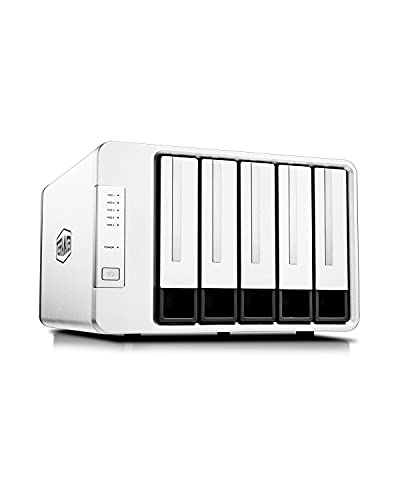
This guide is for video editors, photographers, music archivists and home media server owners whose collections have passed what one or two drives can hold. Every enclosure below is a genuine 5-bay DAS unit connecting directly to a computer by USB, chosen from the specifications on its Amazon product page. None is a NAS substitute; direct attachment keeps transfers fast and setup simple.
Quick Picks
As an Amazon Associate we earn from qualifying purchases.
| Product | Best for | Key spec from title |
|---|---|---|
| TerraMaster D5-300 | Protected RAID 5 library on one USB-C cable | 5-bay, RAID 0/1/5/10/Clone/JBOD |
| TerraMaster D5-300C | Mixed working drives plus a mirrored pair | 5-bay, exclusive 2+3 RAID mode |
| TerraMaster D5 Hybrid | Fast NVMe working space beside bulk HDD storage | 2 HDD + 3 NVMe, USB 3.2 Gen 2 10Gbps |
| Yottamaster DF5RU3 | Large aluminum RAID box with active cooling | 5-bay, supports 90TB, RGB fan |
How to Choose
DAS is not NAS, and the difference is the point
A DAS enclosure talks to exactly one computer over USB and appears as local drives, which keeps throughput high and removes network setup, user accounts and remote access from the picture entirely. A NAS serves the whole network but adds a processor, an operating system and a different failure profile. If your media library lives on one editing workstation, DAS is the simpler and usually faster tool. If three people need the same footage at once, none of the boxes in this guide is the right category, and forcing one into that role with file sharing from the host machine is a workaround, not a design.
RAID mode decides what a dead drive costs you
With five bays, the sensible layouts are RAID 5, which survives one drive failure while giving up one drive of capacity, and RAID 1 pairs for the material you cannot reshoot. The TerraMaster D5-300 supports RAID 5 across all five bays, while the D5-300C splits its design: two bays form a RAID pair and three stay independent, which suits a mirrored project drive beside loose archive disks. JBOD and Single modes simply present the drives, useful for rotating backups and useless as protection. Whatever you choose, remember that RAID is not a backup; it keeps the library online through a drive failure, but deletion and theft still need a separate copy somewhere else.
Interface speed caps everything downstream
Hard drives in RAID can outrun a slow connection. The USB 3.1 Gen 1 links on the D5-300 and D5-300C run at 5Gbps, which the D5-300 listing translates to read speeds up to 235MB/s, comfortable for streaming and editing most compressed media. The D5 Hybrid steps up to USB 3.2 Gen 2 at 10Gbps because its NVMe slots can actually use the bandwidth. Match the interface to the drives you will install: five spinning disks in RAID 5 will not saturate 10Gbps, while even one NVMe drive is wasted on a 5Gbps link. Your computer’s port matters too, since the enclosure cannot run faster than the socket it plugs into.
Drive mix: all bays are not the same bays
Four of the five-bay units here take 2.5 and 3.5 inch SATA drives in every bay, which keeps the plan simple: buy matching NAS-rated or surveillance-rated drives and build one array. The D5 Hybrid breaks the pattern with two SATA bays and three M.2 NVMe slots, a layout aimed at a fast working tier beside bulk storage rather than one giant volume. Check the maximum capacity each listing states and the largest single volume it supports, because a media library that grows by whole drives needs headroom in the enclosure’s addressing as much as in its trays.
The 4 Best Options
TerraMaster D5-300 5-Bay USB-C RAID Enclosure
The D5-300 is the straightforward answer for a protected media library. All five bays join hardware RAID with modes spanning RAID 0, 1, 5, 10, Clone, JBOD and Single, and TerraMaster’s own listing recommends RAID 5 across five drives as the balance of safety and capacity. The aluminum alloy shell and low-noise fan address the two complaints of desk-based arrays, heat and hum, and the listing states plainly that this is a DAS, not a NAS. For a photo or video archive that sits beside one workstation, this is the enclosure whose design matches the job description most completely.
Specs
- Bays: 5, for 3.5 inch and 2.5 inch SATA HDD and SSD
- Interface: USB 3.1 (Gen 1) Type-C, 5Gbps
- Transfer: up to 235MB/s read listed
- RAID modes: RAID 0, RAID 1, RAID 5, RAID 10, Clone, JBOD, Single
- Connection type: direct attached storage (DAS), not a NAS
- Construction: aluminum alloy shell, low-noise cooling fan
- Software: TerraMaster RAID Manager listed for array setup
- Model: D5-300 (D5-300-US)
Best for: Editors and archivists who want one RAID 5 volume guarding a large library on a single workstation.
Watch out for: Drives are not included, and the listing recommends matching brand, model and capacity when building the array.
ASIN: B005IOLBT2
TerraMaster D5-300C 5-Bay USB-C RAID Enclosure
The D5-300C rearranges the same five bays around a different working style. Its exclusive 2+3 mode lets the first two drives form a RAID 0, RAID 1 or Single set while the remaining three bays run as independent disks, which maps neatly onto real media habits: a mirrored pair for current projects, then separate drives for camera cards, exports and rotating backups. The listing quotes read and write speeds up to 410MB/s with SSDs in RAID 0, and like its sibling it is explicit that this is a DAS, not a NAS. Choose it when your library is really several libraries with different jobs.
Specs
- Bays: 5, for 3.5 inch and 2.5 inch SATA HDD and SSD
- Interface: USB 3.0 (5Gbps) Type-C
- Transfer: up to 410MB/s with SSD in RAID 0 listed
- RAID modes: RAID 0, RAID 1, Single on two bays, plus three independent bays (2+3 mode)
- Connection type: direct attached storage (DAS), not a NAS
- Compatibility: Mac and Windows listed
- Model: D5-300C
Best for: Creators who want a mirrored working pair alongside separate archive and backup drives in one box.
Watch out for: Only the first two bays get RAID, so the three independent drives carry no failure protection of their own.
ASIN: B06ZY6DK8N
TerraMaster D5 Hybrid HDD NVMe Enclosure

The D5 Hybrid is the modern take on the five-bay idea: two SATA bays for bulk hard drives and three M.2 NVMe slots for speed, behind a USB 3.2 Gen 2 connection at 10Gbps. The listing puts total capacity at up to 68TB, split between large HDDs and up to 8TB per NVMe stick, and the SATA pair can run RAID 0, RAID 1, JBOD or Single. A stated noise level of 19 dB(A) suits a desk in a living space. For an editor, the shape of the workflow writes itself: current project on NVMe, finished library on the big spinning pair, all in one enclosure.
Specs
- Bays: 5 total, 2 SATA HDD/SSD plus 3 M.2 2280 NVMe SSD
- Interface: USB 3.2 Gen 2 Type-C, 10Gbps
- Capacity: up to 68TB total listed
- RAID modes: RAID 0, RAID 1, JBOD, Single for the HDD trays (2+3 hybrid mode)
- Noise: 19 dB(A) listed
- Connection type: direct attached storage (DAS)
- Extras: TPC Backupper software listed for scheduled backup on Windows
- Model: D5 Hybrid
Best for: Video editors who want NVMe working space and bulk HDD archive in a single direct attached box.
Watch out for: Only two bays take hard drives, so bulk capacity tops out sooner than an all-HDD five-bay unit.
ASIN: B0CR4168M8
Yottamaster 5 Bay RAID Hard Drive Enclosure DF5RU3

Yottamaster’s DF5RU3 is the enthusiast-pattern alternative: an aluminum enclosure for five 2.5 or 3.5 inch SATA drives with an RGB fan handling cooling and a stated support ceiling of 90TB. The listing frames it as direct attached storage with RAID 1, 5, 10 and JBOD among its modes, so a five-drive RAID 5 library is on the table here as well. The aluminum body and active fan suit a box that will sit under a desk spinning all day. It is the pick for buyers who want the classic all-HDD array and prefer Yottamaster’s tray and cooling design over TerraMaster’s.
Specs
- Bays: 5, for 2.5 inch and 3.5 inch SATA HDD and SSD
- RAID modes: RAID 1, RAID 5, RAID 10, JBOD listed
- Capacity: supports up to 90TB listed
- Cooling: built-in RGB fan
- Construction: aluminum enclosure
- Connection type: direct attached storage (DAS)
- Model: DF5RU3
- Brand: Yottamaster
Best for: Collectors building a large all-HDD RAID array who want aluminum construction and active cooling.
Watch out for: Confirm the exact RAID mode list and interface on the listing variant before ordering, since Yottamaster sells several similar five-bay models.
ASIN: B08DLVMCCV
Which One Fits Your Situation
Your photo and video archive keeps growing on one workstation
Build around the D5-300 in RAID 5. Five matching drives give you one large volume that tolerates a single drive failure, the 5Gbps link is honest bandwidth for spinning disks, and the array stays attached to the machine where the catalog lives. The Yottamaster DF5RU3 is the alternative if you prefer its aluminum build and fan, with the same RAID 5 idea available.
You edit current projects and archive finished ones
The D5 Hybrid matches the two-tier habit. Keep the active project on the NVMe slots where the 10Gbps interface earns its keep, and let the SATA pair hold finished work in RAID 1. If your projects live on SATA SSDs rather than NVMe, the D5-300C’s mirrored pair plus three independent bays covers the same workflow with standard drives.
Your library is really several separate collections
Music on one drive, family video on another, a rotating backup on a third: the D5-300C was designed for this, with three bays that stay independent instead of joining an array. You lose failure protection on those drives, so keep the irreplaceable collection on the mirrored pair or back it up elsewhere, but the organization of your shelf survives the move into one box.
The enclosure will live in a living room or bedroom studio
Noise becomes the deciding spec. The D5 Hybrid lists 19 dB(A), the quietest figure here, and its compact hybrid layout means fewer spinning drives making sound. The D5-300 counters with a low-noise fan in an aluminum shell. Either way, place the enclosure on a solid surface rather than a hollow desk panel, which amplifies vibration from any five-drive box.
Common Mistakes
- Buying a NAS when the workflow needs direct attached speed, or buying a DAS and expecting the whole household to stream from it like a server.
- Treating RAID as a backup and keeping the only copy of a media library inside one enclosure, however many drives it has.
- Mixing old drives of different sizes and speeds into a new RAID 5 array, then blaming the enclosure for the performance of its slowest member.
- Filling all five bays on day one with no empty slot, leaving nowhere to stage a replacement drive or expand the library later.
- Ignoring the interface: installing fast SSDs behind a 5Gbps link, or expecting a 10Gbps enclosure to run at full speed from an older USB port.
Frequently Asked Questions
What is the difference between a DAS and a NAS enclosure?
A DAS connects directly to one computer by USB and appears as local storage, which keeps setup minimal and transfers fast. A NAS connects to your network and serves files to many devices, with its own processor and operating system. Every enclosure in this guide is a DAS, and the TerraMaster listings say so explicitly, so choose them for a single workstation library.
How much storage can a 5-bay enclosure hold?
It depends on the model and the drives. The listings here state up to 80TB class capacity for the D5-300 design, 90TB support for the Yottamaster DF5RU3, and 68TB for the D5 Hybrid, whose bays split between two hard drives and three NVMe sticks. RAID 5 reduces usable space by one drive’s worth in exchange for failure protection.
Which RAID mode suits a media collection?
RAID 5 is the common answer for a five-bay library, since it survives one drive failure while keeping most of the capacity. RAID 1 mirrors a pair completely and suits a smaller, critical working set, which is how the D5-300C and D5 Hybrid use it. JBOD and Single modes offer no protection and fit rotating backup drives instead.
Can I move my existing drives into one of these enclosures?
Physically, 2.5 and 3.5 inch SATA drives fit the bays of the all-SATA models here, but building a RAID array formats the drives, so their contents must be copied elsewhere first. Moving a drive as a Single or JBOD disk may preserve data on some units, but plan as if it will not. Back up the library before the migration, not after.