Key takeaways
- Compare four 5-bay DAS enclosures for creative studios, from hybrid NVMe storage to hardware RAID 5, with every spec taken from the Amazon listing.
A five-bay DAS is rarely bought for the box itself. The real decision is how the enclosure treats the drives inside it: one protected volume that survives a disk failure, five separate disks you manage yourself, or a hybrid layout where fast flash holds active projects and spinning disks hold the archive. Pick the wrong model and you discover the mismatch months later, when a rebuild, a drive swap, or a full project archive exposes what the controller can and cannot do.

This guide is for video editors, photographers, and small studio teams whose footage and project libraries have outgrown single external drives. Every enclosure below connects directly to one computer over USB, with no network layer, and each pick was chosen from the bay layout, interface, and RAID modes printed on its Amazon listing.
Quick Picks
As an Amazon Associate we earn from qualifying purchases.
| Product | Best for | Key spec from title |
|---|---|---|
| TERRAMASTER D5 Hybrid | Studios mixing active projects on flash with bulk archive on disk | 2 HDD bays plus 3 M.2 NVMe slots on a 10Gbps USB-C link |
| TERRAMASTER D5-310 | Teams that want one protected volume across all five bays | Hardware RAID 5, 0, 1, 10 and Single over USB Type-C |
| ORICO DS500U3 | Rotating sets of individual backup and archive drives | 5 bays for 3.5-inch SATA drives with a magnetic tool-free cover |
| ORICO 9758C3 | A single workstation pooling five large drives over USB-C | 5 bays supporting up to 22TB per drive, non-RAID |
How to Choose
Start With the Interface, Because It Caps Everything
Every drive in a five-bay enclosure shares one cable to the computer, so the interface is the ceiling for the whole box. A 5Gbps USB link is comfortable for hard drives, which rarely sustain more than that together in mixed real-world use, but it throttles SATA SSDs and leaves NVMe far below its potential. A 10Gbps USB 3.2 Gen 2 link doubles that headroom and matters most when flash is involved. Check what your workstation actually offers: a faster enclosure on a slower port still runs at the slower speed, so match the box to the port you will really plug it into.
Decide Between Hardware RAID and Individual Disks
Hardware RAID enclosures combine the bays into one volume inside the box, so RAID 5 keeps working through a single drive failure and the computer sees one large disk. Individual-disk enclosures present each drive separately, and any mirroring or pooling happens in your operating system instead. Neither is automatically better. Hardware RAID is simpler to live with but ties the array to that controller family, while individual disks are easier to move between machines and recover one at a time. Studios should decide this before loading data, because changing approach later means copying everything off first.
Count the Bay Types, Not Just the Bay Total
Five bays can mean five identical 3.5-inch trays, or a split layout like two hard drive bays plus three M.2 NVMe slots. The split design suits a studio rhythm: current projects live on fast flash, finished work migrates to the big spinning disks beside it. Full-size bays suit uniform drive pools and rotating archive sets, and they accept the largest hard drives sold. Look at the listing’s per-drive capacity limit as well, because older enclosures can cap individual drives well below the sizes studios now buy for footage archives.
Plan for Heat, Noise, and Power at a Working Desk
Five spinning drives generate real heat and a low constant hum, and a creative studio desk is usually close to where people record, review audio, and concentrate. An enclosure with a proper cooling fan and a metal or well-vented chassis protects drive lifespan during long renders and overnight copies. Check the power supply arrangement too: an adapter or internal supply rated for five drives spinning up at once prevents the random disconnects that plague underpowered boxes. Finally, tool-free trays matter more than they sound when drives rotate in and out weekly.
The 4 Best Options
TERRAMASTER D5 Hybrid
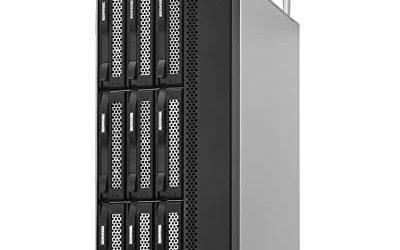
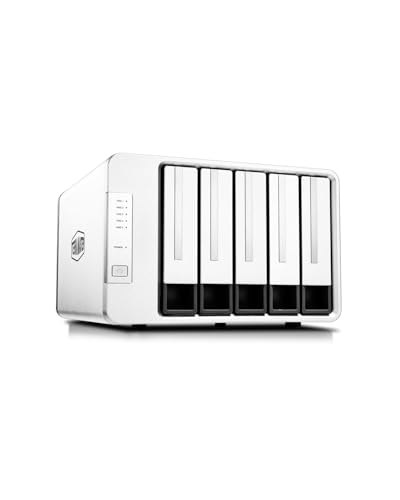
The D5 Hybrid is built around the way studios actually work: a pair of hard drive bays for capacity, and three M.2 NVMe slots for the projects open right now. That split means an editor can keep current footage on flash while completed jobs rest on the larger disks in the same chassis, all over one 10Gbps USB-C connection. The SATA pair supports RAID 0, RAID 1, Single, and JBOD modes in the listing’s exclusive 2+3 hybrid layout, so the archive side can be mirrored while the flash side stays independent. It suits hybrid hot-and-cold storage better than a uniform drive pool.
Specs
- 5 slots in total: 2 bays for 2.5/3.5-inch SATA drives plus 3 M.2 2280 NVMe slots
- USB 3.2 Gen 2 Type-C connection with 10Gbps bandwidth
- Supports RAID 0, RAID 1, Single, and JBOD with the exclusive 2+3 RAID hybrid layout
- Supports up to 68TB of total storage capacity
- Tool-free drive installation, diskless
Best for: Studios that want active project media on NVMe and bulk archive on hard drives in one box.
Watch out for: Only two slots accept 3.5-inch drives, and the NVMe slots are not part of the RAID pair, so plan the layout before buying drives.
ASIN: B0CR4168M8
TERRAMASTER D5-310
The D5-310 is the traditional studio answer: five equal bays governed by a hardware RAID controller, so the workstation sees one protected volume instead of five separate disks. The listing offers RAID 5, 0, 1, 10, and Single modes, and RAID 5 is the natural fit for a small team that cannot afford to lose a day of footage when one drive dies mid-project. It connects over USB Type-C, includes backup software in the listing, and uses tool-free trays with active fan cooling. For a shared editing desk that wants capacity and redundancy without managing arrays in software, this is the straightforward pick.
Specs
- 5 bays for SATA hard drives, diskless
- Hardware RAID supporting RAID 5, 0, 1, 10, and Single modes
- USB 3.1 Type-C direct attached storage connection
- Backup software included
- Tool-free trays with active fan cooling
Best for: Small studios that want one RAID 5 volume for shared project storage and peace of mind.
Watch out for: The USB link is in the 5Gbps class, so it suits hard drive arrays rather than fast flash, and switching RAID modes means rebuilding the array from scratch.
ASIN: B0DZ76C56Y
ORICO DS500U3
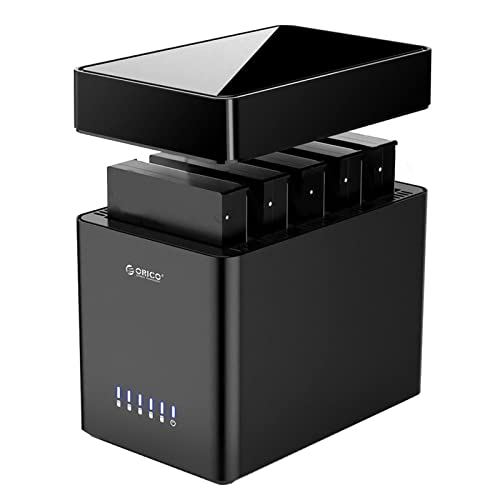
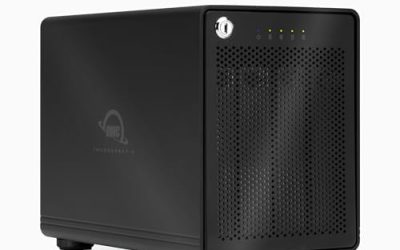
The DS500U3 skips RAID entirely and works as a powered shelf for five individual 3.5-inch drives, which is exactly what some studios need for rotating backup sets and offline project archives. Its magnetic cover opens without tools or screws, so swapping a drive takes seconds, and each disk appears on the computer as its own volume. The listing supports up to 90TB in total with drives up to 18TB each, and a built-in 60mm double-ball bearing fan handles cooling. If your workflow already manages copies in software and you simply need many drives attached at once, this keeps things simple.
Specs
- 5 bays for 3.5-inch SATA HDD/SSD
- USB 3.0 connection to the host computer
- Supports up to 90TB total capacity, with a single drive up to 18TB
- Magnetic tool-free cover design, no screws or tools needed for installation
- Built-in 60mm double-ball bearing cooling fan
- 12V/6.5A power adapter included
Best for: Studios rotating individual backup and archive drives that are managed as separate volumes.
Watch out for: There is no hardware RAID, so redundancy is up to your software and habits, and the listing notes that Linux systems may read only one drive at a time.
ASIN: B0734G79FW
ORICO 9758C3

The 9758C3 is ORICO’s larger non-RAID option for a single workstation: five 3.5-inch bays behind a USB Type-C connector, with a stronger 12V/10A power adapter sized for five big drives spinning up together. The listing supports drives up to 22TB each, for as much as 110TB of attached storage, and the drives present individually rather than as a hardware array, which keeps each disk readable on its own if the enclosure is ever replaced. It fits a colorist or editor who keeps a whole library of project drives mounted at once and manages the organization personally.
Specs
- 5 bays for 3.5-inch SATA drives
- USB 3.1 Type-C connection (USB 3.2 Gen 1)
- Supports up to 110TB total capacity, with a maximum of 22TB per drive
- Non-RAID design, drives appear as individual volumes
- 12V/10A power adapter included
Best for: One workstation that needs five large drives mounted at once over a USB-C connection.
Watch out for: Like the DS500U3 it offers no hardware RAID, and the 5Gbps-class link is shared by all five drives, so simultaneous transfers split the bandwidth.
ASIN: B0FH16Z53L
Which One Fits Your Situation
You Edit Active Projects While Archiving Finished Ones
Choose the TERRAMASTER D5 Hybrid. Current work sits on the three NVMe slots where it benefits from the 10Gbps link, while finished projects move to the two hard drive bays beside them. Mirroring the SATA pair adds a safety net for the archive, and everything lives in one chassis on one cable instead of scattered across separate enclosures.
Your Small Team Shares One Project Volume
Choose the TERRAMASTER D5-310 and build a RAID 5 array. Everyone mounts the same single volume, a failed drive does not stop the working day, and the included backup software covers the routine copies. It is the least fiddly option here for a studio that wants protection handled by the box rather than by whoever remembers to run it.
You Rotate Backup Drives and Keep Offline Copies
Choose the ORICO DS500U3. The magnetic tool-free cover makes weekly drive swaps painless, each disk stays an independent volume you can store off-site, and there is no array to rebuild when a drive retires. It matches a deliberate rotation habit better than a RAID box, where removing a member disk is a problem rather than the plan.
You Keep a Whole Library of Drives Mounted at Your Desk
Choose the ORICO 9758C3. Five large drives stay attached over one USB-C cable, the uprated power adapter handles simultaneous spin-up, and every disk remains individually readable if you later move it to another dock. It suits a solo editor or colorist whose archive is a shelf of labeled drives rather than a single array.
Common Mistakes
- Buying a NAS when the workflow needs a DAS, then discovering the enclosure cannot be shared over the network because it only connects to one computer by USB.
- Assuming five bays means five times the speed, when every drive shares a single USB link and the interface is the real ceiling.
- Loading terabytes of footage onto an enclosure before choosing the RAID mode, then learning that changing modes wipes and rebuilds the array.
- Treating RAID as a backup, even though it does not protect against deletion, theft, or a failed enclosure taking the whole volume with it.
- Filling a hybrid enclosure with five identical drives without noticing that some slots only accept M.2 NVMe media.
Frequently Asked Questions
Is a 5-bay DAS the same thing as a NAS?
No. A DAS connects to a single computer over USB and appears as local drives, with no network sharing of its own. A NAS connects to your router and serves files to many machines at once. Studios choose a DAS for direct speed and simplicity at one workstation, and add network access later only if the workflow truly needs it.
Can I edit video directly from a 5-bay DAS?
Yes, provided the drives and interface match the footage. Hard drive arrays handle most compressed camera formats comfortably, while high-bitrate multicam work benefits from SSD or NVMe media on a 10Gbps link, as in the hybrid enclosure above. The shared USB connection is the limit, so keep renders and exports from competing with playback during demanding sessions.
Does RAID 5 mean I no longer need backups?
No. RAID 5 survives one drive failure so work can continue, but it does not protect against accidental deletion, corruption, theft, or the enclosure itself failing. Studios still keep at least one separate copy of project data, ideally including an offline or off-site set. Treat RAID as uptime protection, and backups as the actual recovery plan.
Can I mix different drive sizes in one enclosure?
In individual-disk and JBOD use, yes: each drive keeps its own capacity and can be managed separately. In a RAID array, the usable space is calculated from the smallest member, so a much larger drive wastes the difference. Arrays also behave best with matched drives of the same model and age, which keeps rebuild times and performance predictable.