Key takeaways
- Four Thunderbolt enclosures that genuinely support RAID 10 — OWC, Promise, TerraMaster and LaCie — with software vs hardware RAID stated plainly for every pick.
RAID 10 is the array level people ask for when they want speed and a safety net at the same time: drives are mirrored in pairs, and data is striped across those pairs, so the array keeps the throughput benefit of striping and can survive a failed drive in each mirror pair. The problem is finding a Thunderbolt enclosure that actually offers it. Most multi-bay Thunderbolt boxes are two-bay units that stop at RAID 0 and RAID 1. Of the larger enclosures, only a handful list RAID 10 (written as 1+0 by some makers) at all — and they reach it by very different routes.

That difference is the heart of this guide. One pick below does RAID 10 in software, through a utility running on your computer. The other three do it in hardware, on a controller inside the enclosure. Neither route is automatically better — hardware RAID keeps working regardless of the host computer and its operating system, while software RAID can offer richer monitoring and easier migration — but they are not the same thing, and an enclosure advertised with RAID 10 should always say which one it is. Every pick here states it plainly.
Two honesty notes before the picks. First, this is a list of four, not five: the Thunderbolt-plus-RAID-10 class is genuinely thin, and rather than pad the list with a USB-only box or a RAID 0/1 unit, the guide stops at the four enclosures that verifiably meet both tests. Second, one pick, the LaCie 6big, is a discontinued line; it is included because its hardware RAID menu is the widest here, with its status stated openly in its section.
Top pick: OWC ThunderBay 4 — a diskless 4-bay with RAID 1+0 (10) via the included SoftRAID Premium software.
Runner-up: Promise Pegasus32 R4 — drives included, with true hardware RAID 10.
Quick Picks
As an Amazon Associate we earn from qualifying purchases.
| Pick | Bays | RAID 10 route | Drives | Host connection |
|---|---|---|---|---|
| OWC ThunderBay 4 | 4 | Software (SoftRAID Premium, included) | Diskless — add your own | 2× Thunderbolt 3, DisplayPort 1.2 |
| Promise Pegasus32 R4 16TB | 4 | Hardware RAID controller | 4× 4TB included (16TB) | Thunderbolt 3 + USB 3.2 Gen 2 |
| TerraMaster D8-332 | 8 | Hardware RAID controller | Diskless — add your own | Thunderbolt 3 |
| LaCie 6big 24TB | 6 | Hardware RAID controller | 6× 4TB IronWolf Pro included (24TB) | 2× Thunderbolt 3 + USB 3.1 |
How to Choose
Software RAID or hardware RAID — decide first
With software RAID, the enclosure is a fast drive box and your computer does the array work. The OWC ThunderBay 4 works this way: its RAID levels, including 1+0 (10), come from the included SoftRAID Premium software. That brings strong drive-health monitoring and means the array logic lives in software you can update, but the enclosure depends on the host and its software licence. With hardware RAID — the Promise, TerraMaster and LaCie here — a controller inside the enclosure builds and manages the array, so it presents one volume to any computer you plug it into. For a workstation that stays put, either works. For an array that moves between machines, hardware RAID is the simpler life.
Diskless or populated
The OWC and the TerraMaster ship empty: you buy drives separately, choose their capacity and model yourself, and can replace or expand them later. The Promise and the LaCie ship populated with matched drives already installed — 16TB and 24TB as listed — so they work out of the box, but the capacity is fixed at purchase and the included drives are part of what you are paying for. Diskless is the flexible route; populated is the fast route.
Bay count and what RAID 10 does with it
RAID 10 needs a minimum of four drives. In a 4-bay enclosure, one RAID 10 volume uses every bay and gives you the capacity of two drives. The 6-bay LaCie gives you the capacity of three drives in RAID 10, and its controller also offers RAID 50 and 60 if your needs change. The 8-bay TerraMaster can run a single large RAID 10 volume or two separate arrays in one tower. More bays do not make RAID 10 faster by themselves, but they decide how much usable capacity the mirroring leaves you.
Confirm the variant on the product page
Multi-bay enclosures are sold in several variants — with and without drives, with and without software licences — and listings can be confused with near-identical model names. The notes under each pick call out the specific check: the OWC’s RAID 10 depends on the SoftRAID-included variant, and the TerraMaster’s listing has a second product code circulating in index sources. Thirty seconds on the product page confirming you have the exact variant is part of buying in this class.
The 4 Best Options
1. OWC ThunderBay 4, 0TB, with SoftRAID Premium
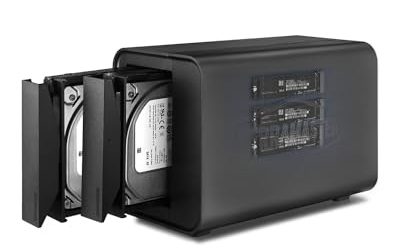
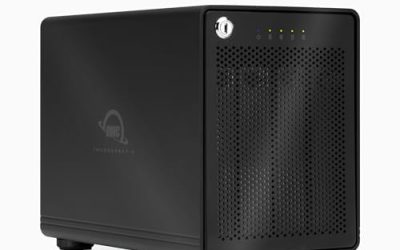
The ThunderBay 4 is a 4-bay diskless enclosure for 2.5-inch and 3.5-inch SATA drives, with two Thunderbolt 3 (40Gb/s) ports for daisy-chaining and a DisplayPort 1.2 output for a display. Its RAID support — 0, 1, 4, 5, 1+0 (10) and JBOD — comes from SoftRAID Premium, OWC’s software RAID utility, which is included with this variant. Be clear about what that means: there is no RAID controller chip in the box. Your computer builds and runs the array, and SoftRAID’s drive-health monitoring watches the disks and warns about predicted failures. For a Mac or Windows workstation that lives on one desk, this is a proven arrangement, and starting diskless means you choose the four drives yourself.
- Specs:
- Bays: 4× 2.5″/3.5″ SATA, diskless
- RAID levels: 0, 1, 4, 5, 1+0 (10), JBOD — via included SoftRAID Premium software
- Ports: 2× Thunderbolt 3 (40Gb/s), DisplayPort 1.2
- RAID type: software RAID (host-based)
- Best for: Buyers who want a diskless 4-bay and are comfortable with software RAID and OWC’s drive-health monitoring.
- Watch out for: RAID 10 here depends on the SoftRAID licence. Confirm on the product page that the listing is the “with SoftRAID” variant — a second diskless-kit listing exists without the same bundle. OWC has also announced a Thunderbolt 5 refresh of the ThunderBay 4; this listing is the Thunderbolt 3 generation.
- View on Amazon
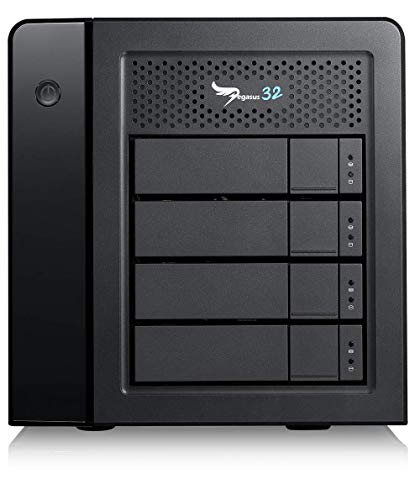
2. Promise Technology Pegasus32 R4, 16TB
The Pegasus32 R4 takes the opposite approach to the OWC: a hardware RAID controller inside the enclosure, and four 4TB SATA drives already installed for 16TB total. Its hardware RAID menu runs 0, 1, 5, 6, 10 and JBOD, so RAID 10 is handled by the box itself and the volume simply appears when you connect it. Connection options are the most flexible here: Thunderbolt 3 (40Gb/s) and USB 3.2 Gen 2 (10Gb/s) host ports, a DisplayPort 1.4 output, and up to 85W of host charging for a laptop. Promise has a long track record in professional media storage, and this is the pick for a video or photo workstation that wants hardware RAID 10 without assembling anything.
- Specs:
- Bays: 4, populated with 4× 4TB SATA HDDs (16TB)
- RAID levels: 0, 1, 5, 6, 10, JBOD — hardware RAID controller
- Ports: Thunderbolt 3 (40Gb/s), USB 3.2 Gen 2 (10Gb/s), DisplayPort 1.4
- Host charging: up to 85W
- RAID type: hardware RAID
- Best for: Buyers who want drives included and true hardware RAID 10, with a USB fallback connection alongside Thunderbolt.
- Watch out for: It is sold populated, not diskless — the 16TB capacity is fixed at purchase. A larger 40TB variant exists if you need more room from day one.
- View on Amazon
3. TerraMaster D8-332 Thunderbolt 3, 8-Bay
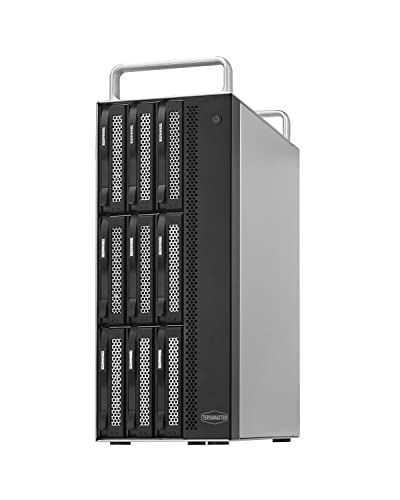
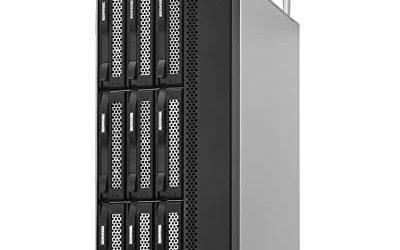
The D8-332 is the biggest enclosure in this guide: an 8-bay diskless tower for 3.5-inch drives, with a hardware RAID controller offering 0, 1, 5, 10 and JBOD — RAID 10 is stated in the listing title itself. Listing data puts transfers at up to 1600 MB/s. Eight bays change what RAID 10 can be: one volume striped across four mirrored pairs, or two independent arrays in a single tower sharing one Thunderbolt connection. It is the natural choice for a growing media library or a small team’s shared scratch storage where four bays would be outgrown within a year.
- Specs:
- Bays: 8× 3.5″, diskless
- RAID levels: 0, 1, 5, 10, JBOD — hardware RAID controller
- Host connection: Thunderbolt 3
- Transfer rate: up to 1600 MB/s per listing data
- RAID type: hardware RAID
- Best for: The most bays in this pool — one large RAID 10 volume with room to grow, or two arrays in one tower.
- Watch out for: Check the variant carefully before ordering. A second product code for the D8-332 circulates in index sources, so confirm the product page is the live D8-332 Thunderbolt 3 RAID tower. Do not confuse it with the TerraMaster D8 Hybrid, which is a USB enclosure with RAID 0/1 only and fails both tests for this guide.
- View on Amazon
4. LaCie 6big Thunderbolt 3, 24TB

The 6big is a 6-bay array populated with six 4TB IronWolf Pro drives for 24TB, connected by two Thunderbolt 3 ports with a USB 3.1 fallback. Its hardware RAID menu is the widest in this guide — 0, 1, 5, 6, 10, 50 and 60 — so it can run RAID 10 today and be reconfigured to a dual-parity or nested level later without replacing the enclosure. That flexibility, in a populated and warranty-backed unit, is why it earns a place here.
Its status must be stated plainly: the 6big line is discontinued at major retailers, and this is a 2016-era design. Availability on Amazon US is uncertain, so check the product page first; if it is no longer sold, work with the three picks above rather than substituting a lesser enclosure that lacks RAID 10.
- Specs:
- Bays: 6, populated with 6× 4TB IronWolf Pro drives (24TB)
- RAID levels: 0, 1, 5, 6, 10, 50, 60 — hardware RAID controller
- Ports: 2× Thunderbolt 3, USB 3.1 fallback
- RAID type: hardware RAID
- Status: discontinued line — check availability
- Best for: Buyers who want the widest hardware RAID menu here, including RAID 50/60, in a populated array.
- Watch out for: Discontinued line and an older design; confirm the product page is live and the unit is sold for your market before planning a purchase around it.
- View on Amazon
Which One Fits Your Situation
You want to choose your own drives
Choose the OWC ThunderBay 4 for a 4-bay setup, accepting that RAID 10 runs through the included SoftRAID software, or the TerraMaster D8-332 if you want hardware RAID and eight bays to fill over time.
You want it working out of the box
Choose the Promise Pegasus32 R4. Drives installed, hardware RAID 10 on the controller, and both Thunderbolt and USB connections — connect it, create the volume, and start work.
You need room to grow into
Choose the TerraMaster D8-332. Eight bays let a RAID 10 volume grow with matched drives, or hold a second array alongside the first.
You want the most RAID options in one box
Consider the LaCie 6big for its RAID 50/60 options — with the explicit caveat that the line is discontinued, so availability decides whether this is a real option at all.
Common Mistakes
Assuming “RAID” on the box means RAID 10. Most Thunderbolt enclosures offer only RAID 0 and 1. RAID 10 must be listed explicitly — as 10 or 1+0 — for the exact model, not for a sibling product in the same range.
Missing the software-versus-hardware distinction. A software-RAID enclosure without its software licence or utility installed is just a drive box. If you buy the OWC, the SoftRAID inclusion is what makes RAID 10 possible; if you need the array to be independent of the host, buy hardware RAID.
Buying a USB enclosure by mistake. Similar-looking multi-bay towers are sold with USB-only connections and reduced RAID menus. Check that the host interface says Thunderbolt, not just USB-C — the connector shape is the same.
Treating RAID 10 as a backup. RAID 10 protects against drive failure, not deletion, corruption, theft or fire. It keeps you working through a dead drive; it does not replace a separate backup copy of anything that matters.
FAQ
Is RAID 1+0 the same as RAID 10?
Yes. RAID 10 and RAID 1+0 describe the same layout: mirrored pairs with striping across them. OWC lists it as 1+0 (10) for the ThunderBay 4; Promise, TerraMaster and LaCie list it as 10. The naming differs, the array is the same.
How many drives does RAID 10 need, and how much space do I get?
A minimum of four drives, in mirrored pairs. Usable capacity is half the total raw capacity: four 4TB drives give 8TB usable, because every block is written to two drives.
Which is better, software RAID or hardware RAID?
Neither is universally better. Hardware RAID (Promise, TerraMaster, LaCie here) is self-contained and works the same with any host. Software RAID (the OWC with SoftRAID) adds detailed drive-health monitoring and easier updates, but ties the array to the host computer and its software. Choose based on whether the array stays with one workstation or moves around.
Can I add drives later to expand a RAID 10 volume?
Generally, plan the array size at setup. Expanding or restriping a RAID 10 volume usually means rebuilding it, which erases the data. Buying the bay count you will need — the reason the 8-bay TerraMaster is in this guide — is the safer path.