Key takeaways
- Compare the best 8-bay DAS enclosures for workstation backups: Thunderbolt hardware RAID, a hybrid NVMe tier and USB JBOD towers with room for eight drives.
The real decision behind an 8-bay DAS is not raw capacity — any eight bays hold plenty — it is what happens on the worst day: a drive dies mid-project, a backup window overruns into the workday, or the enclosure becomes the only copy of a client archive because the workstation itself failed. Buyers are really choosing how the box handles failure and recovery: hardware RAID that rebuilds without the host, simple JBOD that keeps every disk independent, or a hybrid layout that parks fast NVMe storage next to bulk hard drives.

This guide is for workstation users backing up large local data sets — video editors with project archives, photographers with growing RAW libraries, engineers and developers with virtual machines and build artifacts, and small studios that want backup storage attached directly to one machine rather than shared over a network. Every enclosure below was picked from the names and specifications on its Amazon product page, and each one is a true 8-bay direct-attached unit.
Quick Picks
As an Amazon Associate we earn from qualifying purchases.
| Product | Best for | Key spec from title |
|---|---|---|
| TerraMaster D8-332 | Thunderbolt workstations needing hardware RAID | Dual Thunderbolt 3, hardware RAID 0/1/5/10/JBOD |
| TerraMaster D8 Hybrid | Mixing fast NVMe workspace with bulk HDD backup | 4 HDD bays + 4 M.2 NVMe slots, USB-C 10Gbps |
| QNAP TL-D800C | Straightforward eight-disk USB backup tower | 8 SATA bays, USB 3.2 Gen 2 Type-C |
| Mediasonic H82-SU31C | Simple JBOD storage with very large drives | USB 3.2 Gen 2 10Gbps, supports 30TB drives |
How to Choose
Decide how RAID should be handled before anything else
Workstation backups split into two camps. A hardware RAID enclosure such as the D8-332 runs the array on its own controller, so a mirrored or RAID 5 volume keeps working — and keeps backing up — even while a failed disk rebuilds, and the volume appears to the workstation as one device. A JBOD enclosure presents all eight disks separately and leaves mirroring to software such as your operating system’s storage tools. JBOD is simpler and makes individual drives easy to pull and read elsewhere, but redundancy becomes your software’s job, not the box’s.
Match the interface to the workstation, not the headline speed
Thunderbolt 3 moves data at up to 40Gbps and suits workstations that restore large backups or keep active project files on the array. USB 3.2 Gen 2 tops out at 10Gbps, which still saturates several hard drives at once and is more than fast enough for scheduled overnight backup jobs. Check what your workstation actually offers: a USB-only enclosure cannot use a Thunderbolt port’s full bandwidth, and a Thunderbolt-only enclosure will not work on a machine without Thunderbolt. Also confirm the included cable type before ordering.
Plan the eight bays as a layout, not a pile of disks
Eight bays invite a deliberate layout. A common workstation pattern is a mirrored pair for the most critical data, a larger striped or parity group for bulk backup history, and one bay kept empty as a hot spare or rotation slot for off-site swaps. Hybrid enclosures change the maths again: the D8 Hybrid’s four NVMe slots suit a fast working tier while its four hard drive bays hold the backup set. Decide the layout first, then buy matched drives for each group instead of filling bays at random.
Check cooling, drive support and tray design
Eight spinning drives in one tower generate real heat, and backup jobs run for hours. Look for metal construction, temperature-controlled fans and trays that hold drives securely — the listings here variously offer smart fans with temperature sensors, tool-free trays or lockable bays. Also check the maximum supported drive capacity on the listing: newer enclosures state support for very large drives, while older designs may cap per-drive size. Finally, confirm whether the enclosure is diskless, because all four picks here ship without drives.
The 4 Best Options
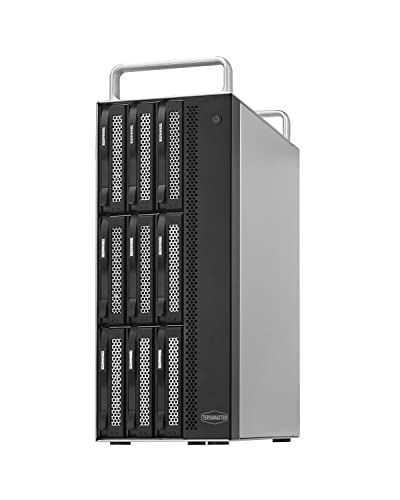
TerraMaster D8-332
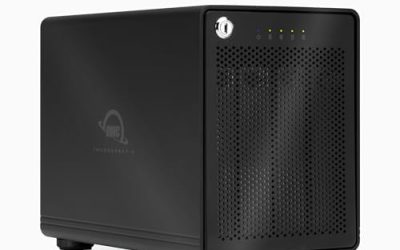
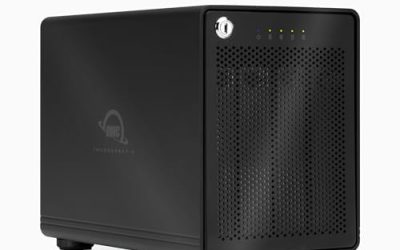
This is the pick for a workstation that treats backup as infrastructure rather than an afterthought. Its dedicated hardware RAID controller handles RAID 5 or RAID 10 on the box itself, so the array survives a dead drive and rebuilds without leaning on the workstation’s CPU, and the dual Thunderbolt 3 ports let it sit in a daisy chain with other devices. For editors and engineers whose backup target doubles as fast near-line storage, that combination of protection and throughput is what the other three enclosures here do not attempt.
Specs
- 8-bay tower enclosure, diskless
- 2x Thunderbolt 3 ports (40Gbps), daisy-chain support
- Hardware RAID 0/1/5/10/JBOD and Single modes
- Transfer speeds up to 1600 MB/s per the listing
- Supports up to 160TB total capacity
- DisplayPort 1.4 output and USB 3.1 Gen 2 Type-A port
- Metal chassis, 5.31 x 11.61 x 13.15 inches, 20.28 pounds
Best for: Thunderbolt workstations that need RAID 5 or RAID 10 protection managed by the enclosure itself.
Watch out for: It only connects over Thunderbolt, so a workstation without a Thunderbolt port cannot use it at all.
ASIN: B0B25RHVKF
TerraMaster D8 Hybrid
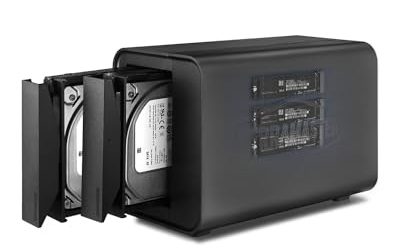
The D8 Hybrid splits its eight bays into two kinds of storage: four 3.5-inch SATA bays for hard drives and four M.2 NVMe slots for flash. That layout maps neatly onto a workstation backup routine — keep current projects on the fast NVMe tier, let scheduled backups land on the big hard drives below, and use its hybrid RAID mode to mirror the first two hard drives while the rest stay independent. A single USB-C cable connects everything, which also makes it an easy add-on beside an existing workstation or NAS.
Specs
- 8-bay hybrid enclosure, diskless
- 4x 3.5-inch SATA HDD bays plus 4x M.2 NVMe SSD slots
- USB 3.2 Gen 2 Type-C connection, up to 10Gbps
- RAID 0/1/Single/JBOD plus a hybrid 2+6 RAID mode per the listing
- Tool-free hard drive installation
- Smart fan cooling
Best for: Creators who want a fast NVMe working tier and bulk HDD backup space inside one USB enclosure.
Watch out for: Only four bays take hard drives, so bulk backup capacity tops out sooner than on a full eight-HDD tower.
ASIN: B0D3YZSK95
QNAP TL-D800C
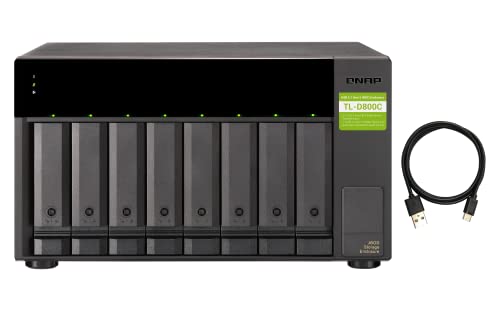
QNAP’s tower takes the uncomplicated route: eight SATA bays behind one USB-C cable, presented to the workstation as individual disks. There is no hardware RAID to configure, which is exactly the appeal for backup use — each drive stays readable on its own, software mirroring or backup tools handle redundancy, and a disk pulled from the enclosure can be read by another machine. It also works as expansion storage for a compatible QNAP NAS, so it can change jobs if your setup grows a network later.
Specs
- 8-bay desktop JBOD enclosure, diskless
- 8x 3.5-inch SATA 6Gb/s drive bays
- USB 3.2 Gen 2 Type-C connectivity
- JBOD presentation with host-based software RAID
- Also works as expansion storage for compatible QNAP NAS units
Best for: Users who want eight independent backup disks on one USB cable, with redundancy handled by software.
Watch out for: There is no built-in RAID, so a single-disk backup volume has no protection until you configure mirroring in software.
ASIN: B086WCRFQ3
Mediasonic H82-SU31C
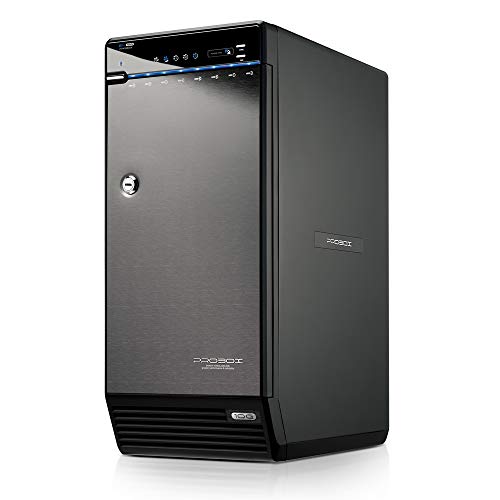
Mediasonic’s enclosure is the plain-spoken option in this group: eight 3.5-inch bays, a USB-C connection, and no RAID layer in between. Its listing leads with support for very large hard drives, which suits backup targets built from a few huge disks rather than many small ones, and the built-in temperature sensor with a smart fan addresses the main risk of long backup runs — heat. S.M.A.R.T data passes through to the host, so your backup software or drive utilities can still watch disk health.
Specs
- 8-bay 3.5-inch SATA hard drive enclosure, diskless
- USB 3.2 Gen 2 Type-C connection, up to 10Gbps
- Supports hard drives up to 30TB per the listing
- UASP and S.M.A.R.T support
- Built-in temperature sensor with Smart Fan auto and manual modes
- No onboard RAID — DAS only
Best for: Budget-conscious backup setups built around a handful of very large drives in simple JBOD fashion.
Watch out for: With no RAID and no NVMe slots, all redundancy and all speed planning has to happen in your software and drive choices.
ASIN: B07G5NZ35Q
Which One Fits Your Situation
Your workstation has Thunderbolt and the backup cannot pause for a rebuild
Choose the TerraMaster D8-332. Hardware RAID 5 or RAID 10 keeps the volume online when a disk fails, the controller handles the rebuild, and Thunderbolt bandwidth means restore jobs finish in a fraction of the time a USB link would take. It is the only enclosure here designed to behave like permanent workstation infrastructure.
You back up a workstation and also keep active projects on external storage
Choose the TerraMaster D8 Hybrid. Put current work on the four NVMe slots and point your backup schedule at the hard drive bays, and one box covers both jobs. The mirrored hybrid mode protects the first hard drive pair automatically, which suits a single-desk setup that needs simple, set-and-leave protection.
You prefer every backup disk to stay independent and readable anywhere
Choose the QNAP TL-D800C or the Mediasonic H82-SU31C. Both present disks individually, so a drive can be pulled, labelled and shelved as a rotation copy, or read by another computer without an array in the way. Pick the QNAP if NAS expansion later is plausible; pick the Mediasonic if very large drives and S.M.A.R.T pass-through matter more.
Your backup window is overnight and the budget is mostly spent on drives
Choose the Mediasonic H82-SU31C. A 10Gbps USB link is not the bottleneck for scheduled hard drive backups, and skipping hardware RAID leaves more of the budget for the drives themselves — including a spare set for rotation, which protects you more than a faster enclosure would.
Common Mistakes
- Treating RAID as a backup: an array protects against a dead drive, not deletion, ransomware or a stolen workstation — keep at least one separate or rotated copy.
- Filling all eight bays on day one: leaving a bay free gives you a rotation slot or a landing place for a replacement drive during a rebuild.
- Mixing random spare drives into one array: mismatched sizes and speeds shrink the volume to the smallest, slowest member.
- Ignoring the interface on the workstation itself: Thunderbolt enclosures do nothing for a USB-only machine, and cable type matters.
- Forgetting that every enclosure here is diskless: the drives are a separate purchase, and eight of them cost more than the box.
Frequently Asked Questions
Is an 8-bay DAS better than a NAS for workstation backups?
For a single workstation, usually yes. A DAS connects directly by USB or Thunderbolt, so backups and restores run at full interface speed without depending on the office network, and there is no network service to secure or maintain. A NAS makes more sense when several machines must share the same backup target around the clock.
Can I mix hard drives and SSDs in one 8-bay enclosure?
In a standard tower, any bay that accepts 2.5-inch drives can hold an SSD, but arrays should group like with like. The TerraMaster D8 Hybrid is the purpose-built answer here: it dedicates four slots to M.2 NVMe SSDs and four bays to hard drives, so each tier is used for what it does best instead of slowing the other down.
What RAID level should a workstation backup enclosure use?
RAID 5 or RAID 10 on a hardware controller, as on the D8-332, keeps the backup volume available through a disk failure, which matters when the backup itself is your safety net. RAID 0 has no place in a backup target. On JBOD enclosures, use your software’s mirroring or schedule copies to two different disks.
Do these enclosures include the drives?
No. All four enclosures in this guide are sold diskless, exactly as their listings state. Budget for the drives separately, buy them in matched sets for whichever bays will form an array or mirror, and consider one extra drive as a shelf spare so a failure never waits on shipping.